

LinkedIn campaign types
To create a campaign, go to the LinkedIn area and click New Campaign, in the menu on the right. The first decision is the Contact source — choose where this campaign gets its contacts. There are four sources, each designed for a different goal:
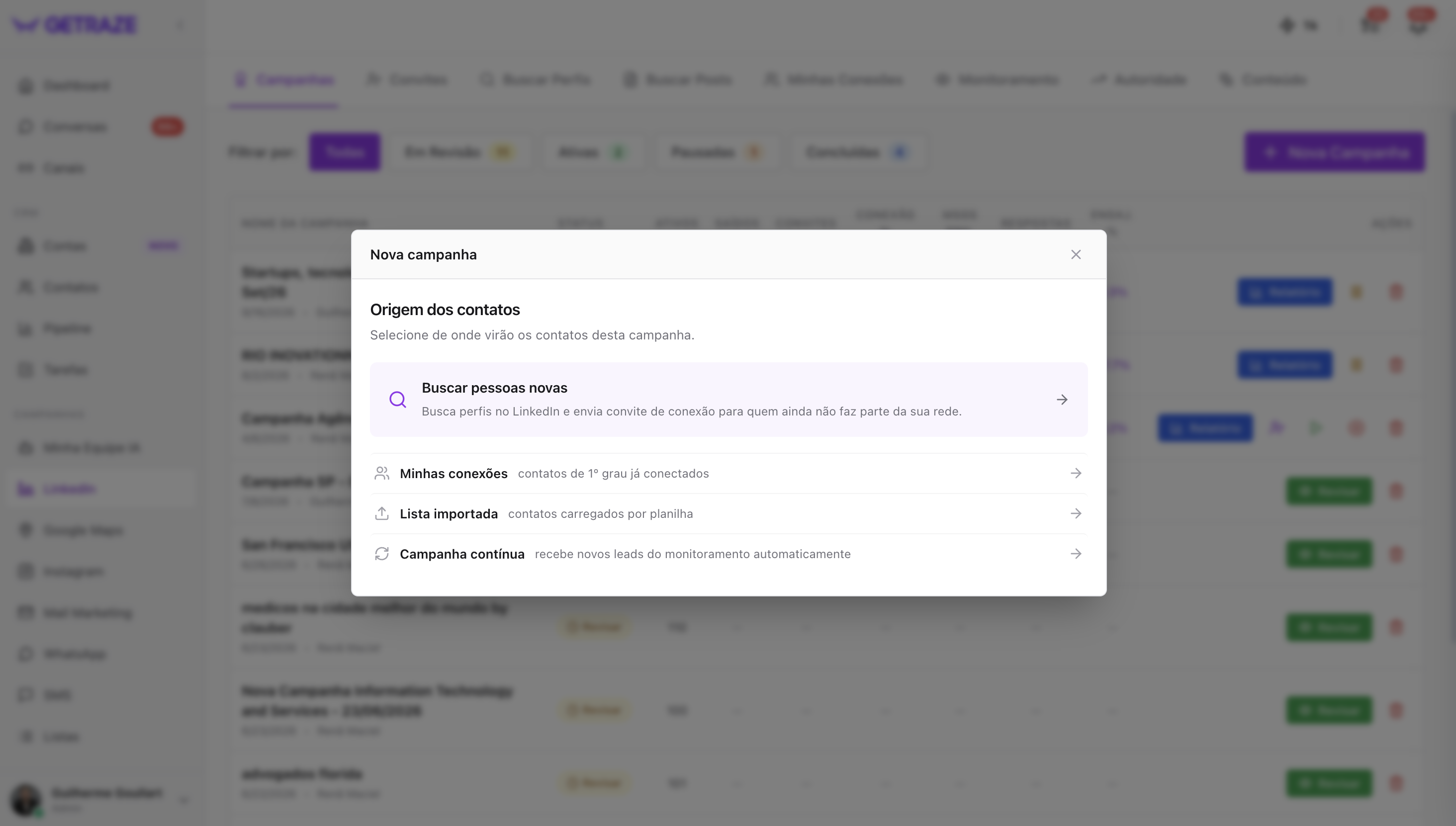
| Type | What it does | Ideal for |
|---|---|---|
| Find new people | Searches for profiles on LinkedIn and sends a connection invite to people who are not yet part of your network | Generating new leads and deals |
| My connections | Sends direct messages to your 1st-degree contacts, who are already connected | Working and reactivating the base you already have |
| Imported list | Runs the campaign on contacts uploaded from a spreadsheet | Prospecting your own or third-party lists |
| Continuous campaign | Receives new leads from monitoring automatically | Always-on flows, fed on demand |
Find new people
You define your ideal customer profile — job title, location, industry — and GetRaze searches for profiles on LinkedIn and sends a connection invite to people who are not yet part of your network, generating leads continuously.
➡️ Tutorial: Creating a Find new people campaign
My connections
Send direct messages to your 1st-degree contacts, who are already connected to you. Since the invite has already been accepted, the conversation starts with no barriers.
➡️ Tutorial: Creating a campaign for My connections
Imported list
Run the campaign on contacts uploaded from a spreadsheet — perfect if you already have your contacts mapped out.
➡️ Tutorial: Creating an Imported list campaign
Continuous campaign
A campaign that receives new leads from monitoring automatically, instead of starting from a search. It receives profiles coming from:
- Profile Monitoring (ABM strategies);
- Manual addition through the GetRaze Chrome extension;
- Manual searches inside the platform.
➡️ Tutorial: Creating a Continuous campaign
Next steps
- Start with Find new people if your goal is to generate new leads;
- Use My connections to get value out of the base you have already built;
- Combine Monitoring + Continuous campaign for always-on ABM strategies.